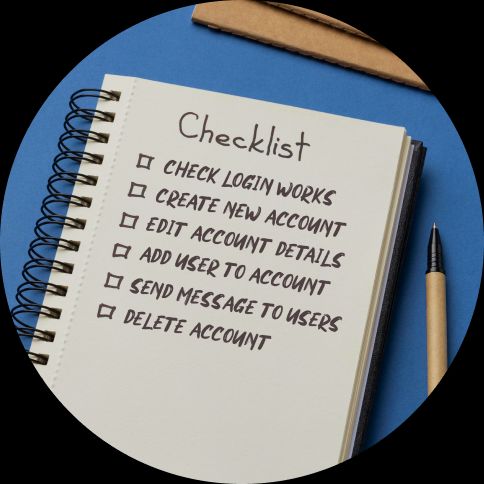
nstead of boxing testers into rigid step-by-step instructions, prompts act more like reminders of what needs checking without dictating how. This frees people up to spot unexpected issues and use their judgment – the kind of things automation or overly scripted tests tend to miss. It also keeps your test plans lighter and faster to write and maintain.
Ever opened a test case tool and ran into this?
- Go to login page (www.example.com/login)
- Check that username field is there
- Check that password field is there
- Enter email “test@example.com”
- Enter password “password123”
- Click “Login”
- Check you land on the dashboard
- Check it shows your name
- Check account info is correct
Many teams are stuck writing this level of detail. But there’s a simpler option.
Say hello to test prompts
Rather than scripting every action, test prompts give outcome-based guidance that leaves room for exploration. They’re made for people who know how to use software – not just formal QA.
Here’s the same login test from above as a prompt:
Login works for valid email and password
One line. It trusts the tester to figure out the rest, while focusing on what actually matters.
Test prompts guide attention without oversteering. This is sometimes called micro-exploration – small, flexible test sessions within clear guardrails.
Why use test prompts
Detailed test cases can cause friction:
- Too rigid – testers follow steps instead of finding bugs
- Too long – harder to scan and update
- Too basic – obvious instructions clutter things
- Too much documentation – not enough testing
Test prompts flip the focus to outcomes. They support better thinking, cleaner coverage, and faster updates.
Good test prompts:
- Point testers in the right direction
- Assume basic product knowledge
- Say what to test, not how
- Encourage curiosity
- Are quick to write and change
How to write test prompts (well)
Keep it short
Short prompts are easier to:
- Write
- Maintain
- Scan during testing
- Understand at a glance
Stick to one line unless there’s a good reason not to.
Skip obvious words
Drop filler like:
- “Verify that”
- “Check that”
- “Ensure that”
- “Test whether”
Instead of:
Verify that the search function works correctly
Write:
Search finds relevant results
Combine step and outcome
Don’t separate action and result.
Instead of:
- Enter invalid email
- Click submit
- Check error shows
Write:
Invalid emails show error message
Leave room for exploration
Prompts should invite variation.
Instead of:
Enter 3-character password and check for error
Write:
Invalid passwords not accepted
This encourages testers to try different things that might break.
Write for your audience
Match the prompt to the tester. If they know the product, skip the basics.
No need for:
- Navigation walkthroughs
- UI labels
- “Click the gear icon” types of steps
Focus on outcomes. Trust the tester to handle the rest.
Micro-exploration
Each test prompt becomes a mini test session.
- File upload handles different formats → Try various file types
- Error handling for network issues → Simulate dropped or slow connections
- Mobile layout works on different screen sizes → Test phones, tablets, orientations
You get:
- Enough direction to stay on track
- Enough freedom to explore
- Better test coverage with less friction
Exploration is optional – use it where it fits.
Common patterns
Feature + condition
- Search works with special characters
- Login fails with wrong password
- Checkout rejects expired cards
- File sharing works across user types
Boundary + behavior
- Large file uploads work
- Long usernames show properly
- Empty forms give useful errors
- Character limits enforced
Integration + workflow
- Emails sent after checkout
- Mobile and web stay in sync
- Social login links accounts
- Export gives correct format
Error + edge case
- Server errors handled clearly
- Timeouts don’t crash things
- Invalid data rejected properly
- Concurrent actions don’t clash
What not to include
Don’t document your product
Prompts aren’t for product walkthroughs. Keep that in a wiki or guide. Including it here just adds noise.
Don’t over-explain simple tasks
Cut lines like:
Click Submit at the bottom right
or
Click the gear icon to open Settings
Your testers know how to use apps. Don’t state the obvious.
Don’t over-specify
Don’t write tests that break as soon as copy changes.
Instead of:
Enter ‘test@invalid’ and expect error: 'Please enter a valid email address'
Use:
Invalid email formats rejected
This lets testers try different things and saves you future edits.
Building your collection
Start with user stories
Turn real product use into prompts.
User story:
As a customer, I want to filter by price
Prompt:
Price filter shows relevant products
Group related prompts
Organize by feature, flow, or risk.
User accounts
- Account creates with valid info
- Reset password via email
- Profile edits save
- Deleting account removes data
Shopping cart
- Items add to cart
- Quantity changes reflect
- Cart keeps items between sessions
- Checkout catches payment errors
Iterate based on discoveries
After testing, ask:
- What slipped through?
- What worked?
- What got in the way?
- What risks appeared?
Update your prompts. Drop what’s not useful.
Advanced techniques
Risk-based prioritization
Label prompts by impact:
Critical – Payment works, data safe
Important – Search relevant, emails sent
Nice to have – Animations feel smooth, color contrast OK
(And yeah – accessibility usually belongs higher.)
Conditional prompts
Some prompts only apply in certain cases:
- Mobile – Touch works as expected
- Admin – Bulk actions succeed
- New user – Onboarding is clear
Progressive detail
Add more depth if needed:
- API works
- Handles rate limits
- Retries failed calls
Tools and organization
Where to keep your prompts
Use what your team will actually use:
- Spreadsheets – simple and quick
- Wikis – easy to edit
- Testpad – fast and focused
- Project tools – if that’s your workflow
Avoid tools that:
- Slow you down
- Need training
- Make edits a pain
Organize by usefulness
- Group by user journey
- Use consistent names
- Keep prompt sets tidy
- Clear out old ones regularly
Measuring effectiveness
You’ll know prompts are working if they:
- Speed up testing
- Stay relevant as the product changes
- Help find good bugs
- Work for all experience levels
- Scale with your team
If not, simplify.
Common mistakes
A quick recap of what to avoid:
Too much documentation → Keep elsewhere
Over-polishing → Start fast, refine later
Overcomplicated tools → Pick tools that stay out of your way
Too much detail → Focus on what matters
And yep – use bold for subheadings, not H3s (they mess up blog layout).
Making the transition
You don’t need to bin everything. Start small:
Start small
Try prompts for just one area. See how it goes.
Get team buy-in
Show how prompts save time, cut clutter, and surface better bugs.
Track the difference
Compare time and results against detailed test cases.
Address concerns
Worried about losing control? A well-written prompt does more with less.
This isn’t about choosing between scripted or exploratory testing. It’s about doing both better.
Why Testpad is built for this
Testpad is designed for the prompt-first mindset. It’s built on the idea that good testers don’t need a 20-step checklist – they need space to think and tools that help, not hinder.
Other tools add layers of process. We remove them. Testpad keeps testing lightweight and effective.
Prompts grow with your product – and Testpad grows with your team.
Want to try it?
Try Testpad free for 30 days and see how fast and focused testing can feel.